
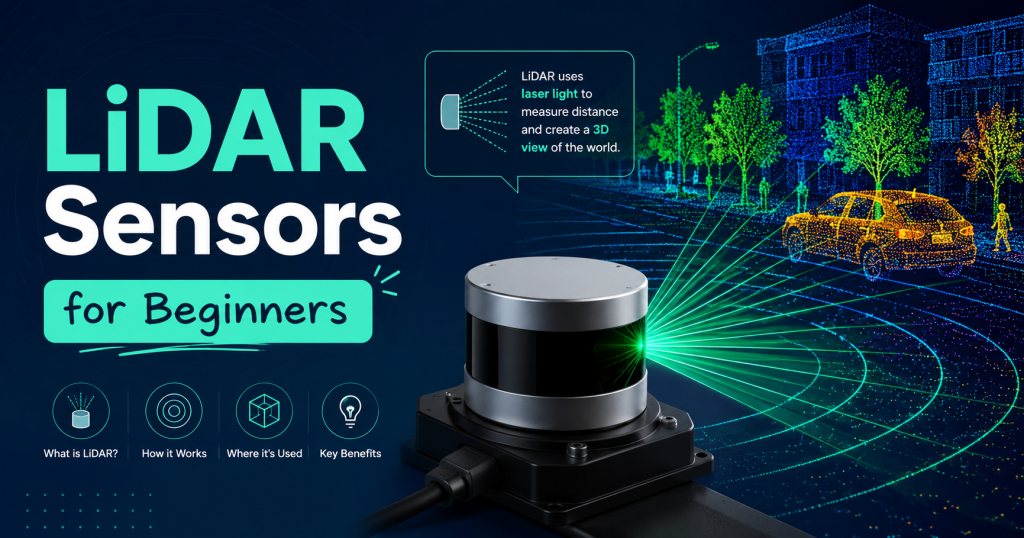
LiDAR sensors used to cost tens of thousands of dollars. The ones in Waymo’s self-driving cars still do. But over the past five years, a wave of compact, affordable sensors has brought laser-based distance measurement within reach of hobbyists, students, robotics enthusiasts, and anyone building their first autonomous project. In 2026, you can buy a genuinely functional LiDAR sensor for $15.
The problem is that cheap does not always mean right for your project. A $15 sensor that measures distance in a single direction is perfect for an obstacle-avoidance robot but completely useless for mapping a room. A $99 360-degree scanning sensor that works brilliantly indoors will struggle in bright outdoor sunlight. Choosing the wrong sensor means wasting money, getting frustrated, and abandoning a project that could have worked with the right hardware.
This guide cuts through the confusion. We have tested and researched the four most popular budget LiDAR sensors for beginners — the Benewake TF-Luna ($15), the Benewake TF02 ($45), the Slamtec RPLIDAR A1M8 ($99), and the Garmin LIDAR-Lite v3 ($130, slightly over budget but impossible to leave out) — and we will tell you exactly which one to buy for your specific project, what each one does well, where each one falls short, and how to connect it to your Arduino or Raspberry Pi.
Affiliate Disclosure: This article contains Amazon affiliate links. If you purchase through these links, we may earn a small commission at no extra cost to you. All recommendations are based on genuine technical evaluation.
Quick Pick Guide: Which Sensor for Which Project?
YOUR PROJECT BEST SENSOR CHOICE
──────────────────────────────────────────────────────
Arduino obstacle avoidance → TF-Luna ($15)
Simple altimeter / drone → Benewake TF02 ($45)
2D room mapping / SLAM → RPLIDAR A1M8 ($99)
Precision altitude hold → Garmin LIDAR-Lite v3 ($130)
Full 3D mapping (advanced) → Upgrade to Livox Mid-360 ($599)
BUDGET GUIDE:
Under $20 → TF-Luna (single point, perfect for starters)
$20 – $60 → TF02 (better range, more reliable signal)
$60 – $100 → RPLIDAR A1 (360° scanning, real mapping power)
$100 – $150 → LIDAR-Lite (outdoor precision, drone altitude)
NOTE: All prices are approximate Amazon US prices, 2026.
Check current listings via affiliate links in this article.
Diagram 1: Quick pick guide — match your project to the right cheap LiDAR sensor
What to Look For in a Beginner LiDAR Sensor
Before jumping into the reviews, here are the five specs that matter most when choosing a cheap LiDAR sensor for your first project. Understanding these will help you read the comparison table later and make the right decision for your use case.
Detection Range
Range is the maximum distance at which the sensor reliably detects objects. For a proximity sensor on a small robot, 3 to 5 meters is plenty. For a drone altimeter, you need at least 15 to 20 meters. For outdoor use, you generally want 30 meters or more. Many cheap sensors advertise maximum range under ideal conditions — bright, close, retroreflective targets — so real-world range in normal environments is often 20 to 40 percent lower than the spec sheet number.
Scan Type: Single Point vs 360 Degrees
Single-point sensors fire one laser beam straight ahead (or downward) and give you one distance reading per measurement cycle. They are small, cheap, fast, and work very well for altimeters, proximity switches, and simple obstacle detection. They cannot map a room or build a picture of the surrounding environment.
Scanning sensors rotate a single laser beam to cover a full 360-degree horizontal plane, producing a ring of distance measurements at hundreds of angles. This is what you need for robot navigation, SLAM (Simultaneous Localization and Mapping), and any application where the robot needs to know what is around it in all directions. The RPLIDAR A1M8 is the main scanning option in our budget category.
Interface: UART, I2C, or USB
UART (Universal Asynchronous Receiver/Transmitter) is the most common interface for LiDAR sensors — data is sent as a serial stream over two wires (TX and RX). Most Arduino-compatible sensors use UART. I2C allows multiple sensors to share two wires using different addresses — useful for multi-sensor setups. USB is the easiest for Raspberry Pi and laptop connections, and the RPLIDAR A1M8 includes a USB adapter board that makes connection trivial.
Update Rate
Update rate (measured in Hz) tells you how many distance measurements the sensor produces per second. A 100 Hz sensor gives you 100 fresh readings every second. For slow-moving robots or altitude hold on a hovering drone, 50 to 100 Hz is more than enough. For fast-moving vehicles or high-speed obstacle avoidance, 250 to 500 Hz gives your processor more data to work with. More Hz generally means better responsiveness.
Outdoor Performance
This is where many cheap LiDAR sensors disappoint. Bright sunlight floods the sensor’s photodetector with background light, making it harder to detect the returning laser pulse and reducing effective range dramatically. Sensors using 905nm wavelength lasers are most affected. Garmin’s LIDAR-Lite v3 specifically addresses this with a narrow bandpass filter and higher-power laser, making it one of the few truly outdoor-capable sensors in this price bracket.
Diagram 3: Detection Range Comparison (Visual Scale)
SENSOR RANGE VISUAL BAR (each = = 1 meter)
─────────────────────────────────────────────────────
TF-Luna 8m [========]
($15) Good for indoor robots
Benewake TF02 22m [======================]
($45) Small drone, indoor nav
RPLIDAR A1M8 12m [============] (360° coverage)
($99) Room mapping + SLAM robots
Garmin Lite v3 40m [========================================]
($130) Outdoor drones, vehicles, long distance
[For comparison]
Livox Mid-360 40m [========================================] (3D)
($599) Pro drone surveys
Velodyne VLP-16 100m [x10 the above] — $4,000+ (NOT budget)
Diagram 3: Detection range comparison — all four beginner sensors vs professional options
Full Comparison Table: All 4 Sensors Head-to-Head
Here is a complete 15-point specification comparison across all four sensors, including buy links:
| Specification | TF-Luna | Benewake TF02 | RPLIDAR A1M8 | Garmin LIDAR-Lite v3 |
| Price (USD, 2026) | $15 | $45 | $99 | $130 (slightly over $100 but worth it) |
| Detection Range | 0.2 – 8 m | 0.1 – 22 m | 0.15 – 12 m | 1 – 40 m |
| Scan Type | Single point | Single point | 360° horizontal | Single point |
| Interface | UART / I2C | UART | UART + USB adapter | I2C / PWM |
| Update Rate | Up to 250 Hz | Up to 100 Hz | 5.5 – 10 scans/sec | Up to 500 Hz |
| Accuracy | ±6 cm | ±3 cm | ±1 cm | ±2.5 cm (typ) |
| Works Outdoors? | Limited | Yes | Reduced (sunlight) | Yes — designed for outdoor |
| Arduino Compatible? | Yes — easy | Yes — easy | Yes (USB/Serial) | Yes (I2C) |
| Raspberry Pi Compatible? | Yes | Yes | Yes — best platform | Yes |
| ROS / SLAM Support | Basic | Basic | Full ROS package | Basic |
| Power Draw | 30 – 35 mA | 100 – 140 mA | 400 – 500 mA | ~105 mA (laser on) |
| Weight | 5 g | 76 g | 170 g (with adapter) | 22 g |
| Best For | First sensor, obstacle avoidance, robotics learning | Drone altimeter, indoor nav, mid-range projects | Room mapping, SLAM, ROS robots, home automation | Outdoor drones, vehicles, precision altitude |
| NOT Good For | Mapping, outdoor, long range | 360° scanning, mapping | Long range, bright outdoor sunlight | 360° scanning, tight budgets |
| Buy Link (Amazon) | View on Amazon → | View on Amazon → | View on Amazon → | View on Amazon → |
Table 1: Complete specification comparison — TF-Luna vs TF02 vs RPLIDAR A1M8 vs Garmin LIDAR-Lite v3
Sensor Reviews: Detailed Breakdown of Each One
- Benewake TF-Luna $15 ★★★★☆ Verdict: Best first LiDAR sensor — unbeatable value for the price
The TF-Luna is simply the most beginner-friendly LiDAR sensor available in 2026. At $15, it costs less than most Arduino shields, yet it delivers genuine laser-based distance measurement up to 8 meters with 6 cm accuracy. It communicates via either UART or I2C — making it compatible with virtually every microcontroller and single-board computer on the market — and it refreshes at up to 250 Hz, which is faster than many sensors costing ten times the price.
The sensor is tiny: 35 x 21 x 15 mm and weighing just 5 grams. For small robots, RC cars, drones, or any weight-sensitive project, this compactness is a real advantage. Power consumption is also minimal at 30 to 35 mA from a 5V supply, meaning it will not drain a small battery pack.
What it is great for
- First-ever LiDAR project — the easiest sensor to get working
- Arduino obstacle avoidance robots — attach, connect, detect
- Smart bins, automatic doors, proximity-triggered projects
- Lightweight drone projects where every gram matters
- Teaching and learning: classrooms, coding clubs, maker spaces
What it is NOT good for
- Room mapping or SLAM — it is a single point sensor only
- Outdoor use in bright sunlight — performance degrades significantly
- Ranges beyond 8 meters — not reliable past this distance
Getting it working
The TF-Luna comes with excellent documentation and there are ready-made Arduino and Raspberry Pi libraries available on GitHub. Most beginners have it returning live distance readings within 15 to 20 minutes of unboxing. In UART mode, connect it to Arduino’s Serial1 port (or use SoftwareSerial on a Uno), set baud rate to 115200, and read the streaming data. The official Benewake Arduino library handles all parsing for you.
Tip: If your Arduino Uno only has one hardware serial port and you need it for the serial monitor, use the SoftwareSerial library on any two digital pins. The TF-Luna works fine with SoftwareSerial at 115200 baud.
Check Price on Amazon: Benewake TF-Luna LiDAR Sensor ($14–$18) — Check current price — varies by seller
- Benewake TF02 $45 ★★★★☆ Verdict: Best range for the money — go-to drone altimeter under $50
The TF02 is the step up from the TF-Luna that makes sense when you need more range. Its 22-meter detection distance is genuinely useful for indoor drone altitude hold, small outdoor robots, and any project where you need reliable detection of objects more than 8 meters away. At $45, it sits in an affordable middle ground between the entry-level TF-Luna and the more capable (but more expensive) Garmin LIDAR-Lite.
The TF02 is significantly larger and heavier than the TF-Luna at 76 grams, but it is more ruggedized — the housing is more robust and the optical window has better protection against dust. It works reliably outdoors in normal lighting conditions, though it will still struggle in direct bright sunlight at maximum range.
The sensor communicates via UART at 115200 baud with a simple data frame format. It outputs a continuous stream of distance measurements at up to 100 Hz. The accuracy is 3 cm — better than the TF-Luna’s 6 cm — which matters for applications like altitude hold where small errors accumulate over time.
What it is great for
- Drone altitude hold: most popular flight controller integration sensor in this price range
- Indoor navigation robots that need to detect walls and obstacles at medium range
- Outdoor projects with non-direct-sunlight conditions
- Distance measurement for conveyor systems, level sensing, presence detection
- Projects where 8 meters is not enough but $130 is too much
What it is NOT good for
- 360-degree mapping or room scanning
- Direct outdoor sunlight at maximum range
- Projects requiring multiple sensors on one bus (UART only, no I2C)
Drone integration
The TF02 is one of the most popular sensors for ArduPilot and Betaflight integration. In ArduPilot, set RNGFND_TYPE to 8 (Benewake TF02), connect to any UART port on your flight controller, and set RNGFND_MAX_CM to 2200. The sensor provides accurate altitude data below 22 meters, dramatically improving stability for indoor flying where GPS is unavailable.
Drone Tip: For outdoor drone use, mount the TF02 pointing downward on the bottom of the frame with a slight tilt away from direct downward laser reflection from the landing gear. Use a foam pad between the sensor and frame to dampen vibration.
Check Price on Amazon: Benewake TF02 Pro LiDAR Sensor ($40–$55) — Verify ‘TF02’ model — there is also a shorter-range TF02-Pro
- Slamtec RPLIDAR A1M8 $99 ★★★★★ Verdict: Best budget LiDAR for mapping — the go-to choice for SLAM and ROS beginners
If the TF-Luna and TF02 are single eyes looking in one direction, the RPLIDAR A1M8 is a spinning head that sees everything around it. It rotates a laser distance sensor through a full 360 degrees at 5 to 10 rotations per second, producing 8,000 distance measurements per second in a complete ring around the sensor. This is genuine 2D LiDAR mapping — the same fundamental technology used in robot vacuum cleaners, autonomous forklifts, and warehouse navigation robots, at $99.
Slamtec is one of the most respected names in affordable LiDAR, and the A1M8 is their most popular beginner product. It ships with a USB adapter board, SDK, ROS package, and sample code for Python, C++, and Arduino. Getting it running on a Raspberry Pi takes about 30 minutes including ROS installation. Slamtec’s RPLIDAR app lets you see a live 360-degree scan visualization on your laptop within minutes of connecting.
What it is great for
- Room mapping and environment scanning — this is what it was designed for
- SLAM (Simultaneous Localization and Mapping) on ROS-based robots
- Autonomous robot navigation — the sensor your robot needs to know where it is
- Home automation projects — mapping your home for a DIY robot
- Learning ROS — the official ROS package makes it the easiest LiDAR to start with
- DIY robot vacuum and cleaning robots
What it is NOT good for
- Outdoor use in direct sunlight — the scanning mechanism uses 905nm laser that struggles against solar background
- Long-range applications — 12m maximum, typical reliable range 6-8m indoors
- Weight-sensitive drones — at 170g with adapter it is not lightweight
- Single-point altitude measurement — overkill and wrong tool for this
The SLAM connection
The RPLIDAR A1M8 is the sensor that most robotics students use when building their first SLAM robot. Combined with a Raspberry Pi 4, the ROS Hector SLAM or GMapping packages, and a basic mobile platform, this $99 sensor gives you a robot that builds a real-time map of any room it explores. The sensor’s official ROS package (rplidar_ros) is actively maintained, well-documented, and works out of the box with ROS Melodic, Noetic, and ROS2 Humble.
For those interested in going deeper on SLAM technology and how robots use LiDAR to navigate, see our full article What is SLAM Technology? at Lidarmos.com.
Power Note: The RPLIDAR A1M8 draws 400–500 mA during scanning — more than most Arduino boards can supply from their 5V pin. Power it from the USB adapter’s power input directly, or use a separate 5V 1A power supply for the sensor.
Check Price on Amazon: Slamtec RPLIDAR A1M8 360° LiDAR ($89–$109) — Buy from official Slamtec store on Amazon for genuine product
- Garmin LIDAR-Lite v3 $130 ★★★★☆ Verdict: Best outdoor performance — worth the extra $30 if you are flying drones outside
The Garmin LIDAR-Lite v3 sits slightly above our $100 threshold at approximately $130, but it earns its place in this guide because nothing else at this price point comes close to its outdoor range and reliability. With a 40-meter detection range that actually delivers in real outdoor conditions — not just in lab spec sheets — it is the standard choice for outdoor drone altitude measurement and the most flight-tested budget LiDAR sensor available.
Garmin has been producing the LIDAR-Lite line since 2015, and the v3 is a well-refined product with proven integration in ArduPilot, PX4, and iNav flight controller firmware. The sensor has been used on hundreds of thousands of drones worldwide and has extensive community documentation, tested configurations, and troubleshooting guides.
The v3 connects via I2C and supports up to 500 Hz measurement rate — genuinely fast, which matters for fixed-wing aircraft or fast multirotor platforms where altitude is changing rapidly. It also supports PWM output for direct connection to flight controller analog inputs without requiring I2C.
What it is great for
- Outdoor drone altitude hold — the most reliable sensor for this application under $200
- Agricultural drone projects — pairs perfectly with flight controllers for terrain following
- RC cars and rovers that operate outdoors at speed
- Any fixed-wing aircraft needing ground clearance measurement
- ArduPilot / PX4 integration — firmware support is mature and well-tested
What it is NOT good for
- 360-degree scanning or mapping — single point only
- Very tight budgets — the TF02 does 80% of the same job for $85 less
- Beginners on Arduino with no experience in I2C — requires pull-up resistors
The I2C resistor issue
One common frustration for beginners is the I2C pull-up resistor requirement. The LIDAR-Lite v3 requires 680-ohm pull-up resistors on both the SDA and SCL lines between the signal wires and 5V. Without these, the sensor will not communicate reliably, and beginners often assume the sensor is faulty. The solution is simple — a pair of $0.10 resistors from any electronics supplier — but it catches many first-time users by surprise.
I2C Fix: Add a 680 ohm resistor between SDA and 5V, and another between SCL and 5V. This is a one-time 30-second wiring step that solves the most common LIDAR-Lite connection problem completely.
Check Price on Amazon: Garmin LIDAR-Lite v3 Distance Sensor ($120–$140) — Genuine Garmin product — avoid third-party clones
Wiring and Setup Guide
Here is how to physically connect each sensor to your Arduino or Raspberry Pi:
Diagram 2: How to Connect LiDAR Sensors to Arduino / Raspberry Pi
TF-LUNA (I2C or UART)
──────────────────────────────────────
TF-Luna VCC → Arduino 5V
TF-Luna GND → Arduino GND
TF-Luna RX → Arduino TX (pin 1) [UART mode]
TF-Luna TX → Arduino RX (pin 0) [UART mode]
— OR —
TF-Luna SDA → Arduino A4 [I2C mode]
TF-Luna SCL → Arduino A5 [I2C mode]
BENEWAKE TF02 (UART)
──────────────────────────────────────
TF02 Red → 5V
TF02 Black → GND
TF02 White → Arduino RX
TF02 Green → Arduino TX
Baud rate: 115200
RPLIDAR A1M8 (USB / UART via adapter)
──────────────────────────────────────
USB adapter included in kit → direct PC/Pi USB port
Motor PWM → Raspberry Pi GPIO pin (speed control)
Power: 5V 500mA minimum from adapter board
GARMIN LIDAR-LITE v3 (I2C or PWM)
──────────────────────────────────────
Red → 5V
Black → GND
Green → Arduino A5 (SCL) [I2C mode]
Blue → Arduino A4 (SDA) [I2C mode]
Note: Add 680 ohm resistor on SDA and SCL lines
Diagram 2: Wiring connections for all four sensors to Arduino / Raspberry Pi
For complete step-by-step code examples for each sensor, the official GitHub repositories and Arduino library managers have ready-to-run sketches. Search for ‘TFmini Arduino’ for the Benewake sensors and ‘rplidar_sdk’ for the RPLIDAR. Garmin provides an official Arduino library called ‘LIDARLite’ available directly through the Arduino Library Manager.
Project Suitability Matrix: Find Your Perfect Sensor
Use this table to instantly match your project to the right sensor. Five stars means it is the ideal choice; one star means it is the wrong tool for this job:
| Project Type | TF-Luna $15 | TF02 $45 | RPLIDAR $99 | Garmin $130 |
| Arduino obstacle avoidance robot | ★★★★★ | ★★★☆☆ | ★★☆☆☆ | ★★★☆☆ |
| Raspberry Pi room mapping | ★★☆☆☆ | ★★★☆☆ | ★★★★★ | ★★☆☆☆ |
| SLAM / ROS navigation | ★☆☆☆☆ | ★★☆☆☆ | ★★★★★ | ★★★☆☆ |
| Drone altitude hold (indoor) | ★★★★☆ | ★★★★★ | ★★★☆☆ | ★★★☆☆ |
| Drone altitude hold (outdoor) | ★★☆☆☆ | ★★★☆☆ | ★★☆☆☆ | ★★★★★ |
| Line following robot | ★★★★★ | ★★★★☆ | ★★★☆☆ | ★★★☆☆ |
| Smart dustbin (open-lid trigger) | ★★★★★ | ★★★★☆ | ★★☆☆☆ | ★★★☆☆ |
| DIY security distance alarm | ★★★★★ | ★★★★☆ | ★★★☆☆ | ★★★★☆ |
| Autonomous car / rover | ★★★☆☆ | ★★★★☆ | ★★★★★ | ★★★★★ |
| Plant watering proximity sensor | ★★★★★ | ★★★★☆ | ★★☆☆☆ | ★★★☆☆ |
| Stair detection for robot | ★★★★☆ | ★★★★★ | ★★★☆☆ | ★★★★☆ |
| First-ever LiDAR project | ★★★★★ | ★★★★☆ | ★★★☆☆ | ★★★☆☆ |
Table 2: Project suitability rating for each sensor — ★★★★★ = perfect match, ★☆☆☆☆ = wrong tool
Pros and Cons: Quick Reference
| TF-Luna ($15) | ||
| Feature | PROS
• Cheapest LiDAR available • Tiny (35x21x15 mm) • Both UART and I2C • 250 Hz refresh (very fast) • Libraries for Arduino + Pi |
CONS
• 8m max range only • Single point — no scanning • Weak in bright sunlight • No ROS support out of box |
| Benewake TF02 ($45) | ||
| Feature | PROS
• 22m range — much more useful • 3 cm accuracy • Works outdoors reliably • Sturdy, robust build quality • Stable at long range |
CONS
• Heavier than TF-Luna • UART only (no I2C) • Single point only • Slower refresh than TF-Luna |
| RPLIDAR A1M8 ($99) | ||
| Feature | PROS
• Full 360° scanning • Built-in USB adapter • Official ROS package • Best for SLAM/mapping • Active community support |
CONS
• Moving parts (motor) • Poor in bright sunlight • 12m range only • Needs more power (500mA) • Larger footprint |
| Garmin LIDAR-Lite v3 ($130) | ||
| Feature | PROS
• 40m range outdoors • Tested on real drones • Extremely fast (500 Hz) • Garmin quality / reliability • ArduPilot / PX4 support |
CONS
• Slightly over $100 • Single point only • Need resistors for I2C • Higher power draw • No scanning capability |
Table 3: Detailed pros and cons for each sensor — use this as a final buying decision reference
Common Beginner Questions Answered
Can I use these LiDAR sensors with an Arduino Uno?
Yes, all four sensors are Arduino compatible, but with different requirements. The TF-Luna and TF02 work best with Arduino boards that have a hardware Serial1 port (Mega, Leonardo, Due) but work with SoftwareSerial on a Uno. The RPLIDAR A1M8 connects via USB and is easier to use with a Raspberry Pi than an Arduino, though it works with the Mega. The LIDAR-Lite v3 uses I2C and works with any Arduino via the Wire library.
Which sensor is best for a Raspberry Pi robot?
The RPLIDAR A1M8 is the clear winner for Raspberry Pi robotics. It connects via USB (no extra wiring), has official ROS support, and the rplidar_ros package runs perfectly on Raspberry Pi 4 with Ubuntu 22.04 or Raspberry Pi OS. If you just need distance sensing rather than full 360 scanning, the TF-Luna’s I2C connection to the Raspberry Pi’s GPIO pins is trivially simple.
Can these sensors work with a drone flight controller?
Yes. The TF02 and Garmin LIDAR-Lite v3 are the most commonly used for this. Connect to a UART port on Pixhawk or any ArduPilot-compatible controller, configure RNGFND_TYPE to the correct value for your sensor, and ArduPilot will automatically use the LiDAR for altitude hold, terrain following, and landing assist. The RPLIDAR is not suitable for drones due to its weight and power requirements.
Do these sensors work underwater?
No. Laser light does not propagate through water. None of these sensors work for underwater distance measurement. For underwater robotics, you need acoustic sensors (sonar) which work on completely different principles.
Is the RPLIDAR A1M8 good enough for a robot vacuum?
Yes — it is exactly what many DIY robot vacuums use. Combined with a Raspberry Pi running ROS and a suitable mobile platform, the RPLIDAR A1M8 gives you the scanning capability to build a robot that maps your floor and navigates systematically. The 12-meter range is more than sufficient for any home environment. Commercial robot vacuums use similar or slightly lower-spec sensors.
Should I buy a TF-Luna or TF02 for my first project?
If your project is purely indoor, involves detecting objects within 5 meters, and budget is your top priority — buy the TF-Luna. If you need outdoor capability, need range beyond 8 meters, or are building a drone altimeter — spend the extra $30 and buy the TF02. The TF02’s better accuracy and longer range are worth the price difference for anything beyond the most basic beginner projects.
Read more Interesting and informational Blogs Visit Our Website Lidarmos
Ready to Go Further? Upgrade Path After Your First Sensor
Once you have your first LiDAR sensor working and you are ready to take your project further, here is the natural upgrade path:
Step 1: Get Your First Sensor Working ($15–$99)
Start with any of the four sensors reviewed here. Get it connected, get distance readings, build a simple project. Do not skip this step to go straight to expensive hardware — even experienced engineers spend time understanding new sensors on simple test setups before integrating them into complex projects.
Step 2: Add a Second Sensor or Try SLAM ($99–$200)
If you started with a single-point sensor and want to try mapping, upgrade to the RPLIDAR A1M8. If you have the A1M8 and want to try full SLAM navigation, add a Raspberry Pi 4, install ROS2, and implement a SLAM algorithm. Our article What is SLAM Technology? at Lidarmos.com walks through this process step by step.
Step 3: Solid-State 3D LiDAR ($500–$1,500)
- Livox Mid-360 ($599) — 360° 3D LiDAR, popular for drone mapping and SLAM research
- Ouster OS0-32 ($999) — 32-channel solid-state, excellent for autonomous vehicles
- Velodyne VLP-16 ($1,000–$1,500 used) — 16-channel mechanical, proven platform for autonomous driving research
Step 4: Build a LiDAR Drone ($500–$1,500 total)
For anyone wanting to do actual aerial LiDAR mapping of real sites, our complete Low-Cost LiDAR Drone Build Guide at Lidarmos.com shows how to build a functional survey drone for $500 to $1,500 using an RPLIDAR sensor on a quadcopter frame. It covers every component, wiring step, and software setup needed to go from parts to flying and mapping.
Final Verdict: Which Sensor Should You Buy?
BUY THE TF-LUNA ($15) IF: This is your very first sensor, you are building an indoor robot or proximity project, budget is tight, or you just want to learn how LiDAR works with minimum investment.
BUY THE TF02 ($45) IF: You need a drone altimeter, want outdoor capability on a budget, or need more than 8 meters of range without spending $100+. This is the smart middle choice.
BUY THE RPLIDAR A1M8 ($99) IF: You want to do mapping, navigation, or SLAM. This is the best beginner LiDAR sensor for robotics and is the one recommended for anyone building a ROS robot or autonomous indoor platform.
BUY THE GARMIN LIDAR-LITE v3 ($130) IF: You are building an outdoor drone or rover, need proven outdoor reliability at 40+ meters, and the extra $30 over budget is not a dealbreaker. It is worth every dollar for the right application.
Whichever sensor you choose, you are getting genuine laser-based distance technology for a price that was unimaginable a decade ago. Start with the sensor that fits your current project, get it working, and you will quickly develop the intuition to know what you need for the next one.
For more help with LiDAR sensors and projects, visit Lidarmos.com — we have guides on how LiDAR technology works, how to build a complete LiDAR drone for under $1,500, how SLAM navigation works, and which companies are building the most exciting LiDAR applications in 2026.


